
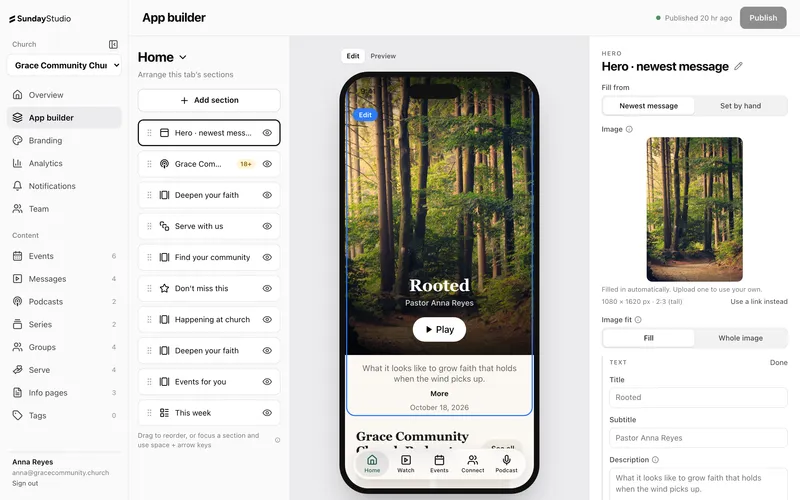
Your home screen is the first thing people see every time they open your app. If it looks the same as it did last month, they stop opening it. If it shows them what's happening this week, they keep coming back.
Here are five sections worth putting there, in roughly the order we'd put them.
1. This week's message
Lead with the newest sermon. People who missed Sunday want to catch up, and people who were there want to share it. In Sunday Studio, the home screen hero can show your newest message automatically, so it changes the moment you add next week's.
2. Your service times
A countdown to your next service answers the most common question anyone has about your church: when is it? Set your service times once and the countdown rolls forward every week. When the service starts, a Live banner appears with a button to wherever you stream.
3. What's coming up
An events section pointed at your calendar keeps itself current. New events appear as you add them, and finished ones leave on their own. If your events live in Planning Center, connect it and they come in without anyone re-typing them.
4. A next step
Give people one clear thing to do: join a group, sign up to serve or say they're new. A short row of quick actions works better than a long menu. Pick the two or three steps you care about most this season.
5. A way to give
Put Give where people can find it without hunting. The amount keypad opens inside your app, and the gift finishes on the giving platform you already use.
Keep it short
Five sections is plenty. Every extra one pushes the important things further down. You can hide a section for a season without deleting it, so there's no cost to trying something and taking it back off.
When you're happy with it, press Publish and every phone updates.