
Build your app the way you'd build a slide.
Pick a tab, add sections from the gallery and drag them into place. The phone preview beside you shows exactly what your people will see.
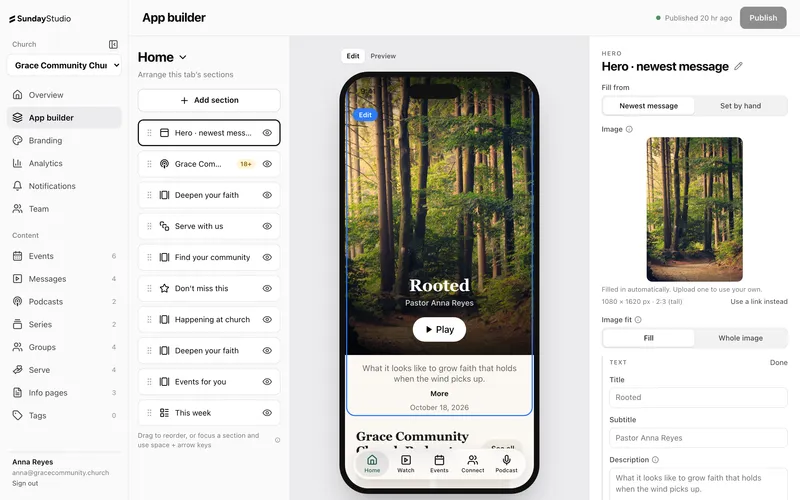
App builder, the simple way. Here's what's included.
-
19 section types
Heroes, carousels, service times, quick actions, FAQs, video, giving goals, a live countdown and more.
-
Fills itself
Point a section at your events or messages and it stays current on its own, with limits and tag filters.
-
Up to 5 tabs
Name each tab, choose its icon and decide what goes on it.
-
Drag, hide, duplicate
Reorder with the mouse or the keyboard. Hide a section for a season without deleting it.
-
Click to edit
Tap any section in the preview to jump straight to its settings.
-
Newest message hero
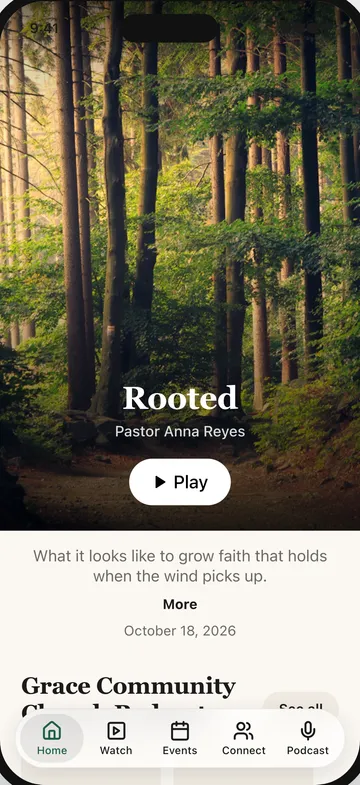
Your home screen can lead with this week's sermon automatically.
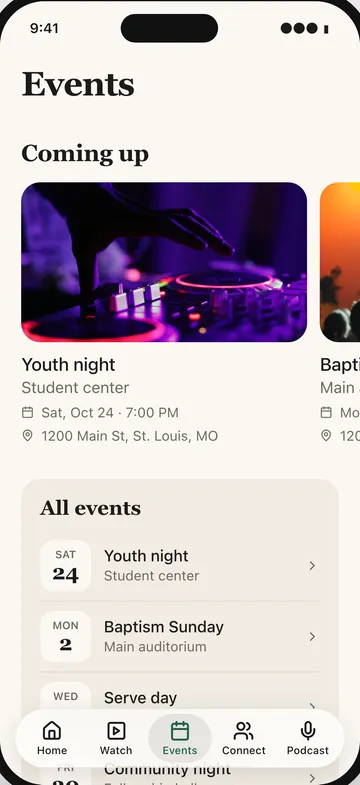
What your people see. Every change you make in the dashboard shows up in your app the moment you publish.
-
Start from a working app
New churches begin with a sample app that already has a home screen, a watch tab, events and ways to connect. Swap in your content and you're most of the way there.
-
Nothing goes live until you publish
Your changes save as you type, but your people only see them after you press Publish. Changed your mind? Discard takes you back to the last published version.